



Blog

Do You Need ADAS Calibration After a Windshield Replacement or Fender Bender?

downloaded-image

Advanced Driver Assistance Systems (ADAS) are now essential to the safety and driving experience in most modern GMC and Nissan vehicles, as well as many other makes. ADAS features such as lane departure warnings, automatic emergency braking, adaptive cruise control, and blind spot monitoring rely on precise input from a network of cameras, radars, and sensors—often located behind your windshield and within your vehicle's front structure. When your windshield is replaced or your vehicle experiences a front-end impact (even a minor fender bender), these systems can become misaligned, leading to inaccurate or unreliable operation.

At Gates GMC Nissan, our GM- and Nissan-certified technicians strongly recommend ADAS calibration any time your windshield is replaced or your car is involved in a collision that could affect sensor alignment. Skipping this step can compromise key driver aids, jeopardize your safety, and may even affect warranty coverage and insurance claims.

Black and white shot of a cracked windshield, driving on a Buenos Aires road.

Understanding ADAS Calibration: What It Means and Why It Matters

ADAS calibration (also called sensor or camera recalibration) is the process of realigning and validating the accuracy of your vehicle's driver-assist sensors after they've been disturbed. Even a one-degree shift caused by glass installation or a soft impact can mislead safety systems about the road and surrounding vehicles, putting drivers and passengers at risk. Proper calibration ensures that features such as forward collision warning, lane keep assist, and adaptive cruise control work as designed and as intended by the manufacturer.

Key ADAS Features Affected

  • Lane Departure Warning & Lane Keep Assist
  • Automatic Emergency Braking
  • Adaptive Cruise Control
  • Blind Spot Monitoring
  • Forward Collision Alert
  • Surround Vision or Backup Cameras
  • Advanced features like Super Cruise (on select GMC models)

These systems are standard or optional on many vehicles we service at Gates GMC Nissan, including the GMC Terrain, Yukon, Sierra 1500, and multiple Nissan models.

When Is ADAS Calibration Required?

ADAS recalibration is generally required under several scenarios:

  • After windshield replacement: Most manufacturers require recalibration whenever a windshield with built-in sensors or camera mountings is removed and reinstalled.
  • After a fender bender or collision: Even seemingly minor impacts can jar ADAS sensors or change positions of critical hardware within the vehicle structure. Calibration is necessary to restore accuracy.
  • Wheel alignment, suspension, or front-end component work: These services can shift the camera/sensor angles or affect their field of view, especially if accompanied by body repair.

Some manufacturers will not honor warranty coverage or allow insurance claims for ADAS malfunctions if recalibration is skipped after relevant work. Gates GMC Nissan provides written certification of completed calibrations, protecting your investment and your safety.

Non-OEM Windshields and Calibration Needs

Choosing a non-OEM (Original Equipment Manufacturer) windshield can introduce added complexity, as small differences in glass shape, thickness, or tint may interfere with sensor performance. We use manufacturer-approved parts and processes to minimize risk and ensure your ADAS performs to factory specifications.

A detailed view of a vintage car's windshield and wipers, capturing a classic automotive design.

How Does ADAS Calibration Work?

Gates GMC Nissan performs two main types of ADAS calibration, depending on your model and the systems affected:

  • Static calibration: This occurs in our service facility using exact targets and diagnostic equipment while your vehicle remains stationary. Static calibration is essential after windshield replacement for most late-model vehicles.
  • Dynamic calibration: After initial static calibration, your vehicle might require a controlled road test, during which sensors automatically adjust using real-world data on marked roads, as specified by the manufacturer.

Both approaches require expertise and manufacturer-grade tools. Our certified technicians follow official GM and Nissan procedures for precise calibration, regardless of the make or model we service.

5 Key Signs Your ADAS May Need Calibration

  1. Windshield replacement or substantial repair just completed
  2. Your vehicle was involved in a fender bender or front-end collision
  3. Dashboard warning lights for driver assistance features remain illuminated
  4. Driver aids seem inaccurate—false alerts, lane drift warnings, or features not functioning as expected
  5. Wheel alignment, suspension, or steering work recently done

Don’t wait for a warning light before acting. Many ADAS systems will not self-correct after their sensors are disturbed, and silent errors may go unnoticed until you truly need the technology.

Best Practices: Ensuring ADAS Accuracy and Safety

  • Always use a certified shop: Trust only technicians skilled and equipped for factory-standard ADAS calibration. Gates GMC Nissan employs certified pros for GM, Nissan, and many other makes.
  • Insist on OEM parts whenever possible: This eliminates glass or hardware mismatches that may interfere with ADAS operation.
  • Request documented calibration: A certificate or record is critical in case of future claims, warranty work, or for resale value.
  • Follow the manufacturer’s recalibration schedule: After relevant repairs or even after some software updates, schedule recalibration as recommended.
  • Monitor performance: If ADAS features behave strangely after any glass replacement, collision, or front-end maintenance, get a professional check at once.

For further details on post-winter vehicle care (which can also affect alignment and ADAS accuracy), you might also be interested in our blog on why your tires are wearing unevenly after winter and what Connecticut drivers should do next.

Why Choose Gates GMC Nissan for ADAS Calibration in North Windham, CT?

With decades of experience as a family-owned dealership, Gates GMC Nissan is a trusted, local authority for all your ADAS needs. Our team:

  • Is trained and certified specifically on GM and Nissan ADAS technologies, including advanced features like Super Cruise, IntelliBeam, Blind Zone Assist, and more.
  • Uses specialized, up-to-date calibration tools for genuine results and manufacturer compliance.
  • Provides transparent, efficient service, often in a single visit.
  • Supplies written certification of ADAS calibration for your records.
  • Maintains OEM parts inventory for glass and sensor replacement needs.
  • Welcomes all makes—our reputation for quality workmanship draws customers from across the region.

Current customers regularly praise our team for no-pressure advice, friendly communication, and attention to detail in both sales and service. Many repeat visitors appreciate the fast turnaround and complete understanding of complex automotive safety systems here at Gates GMC Nissan.

Step-by-Step: What to Expect When You Schedule ADAS Calibration With Us

  1. Arrival & Inspection: We start with a full inspection of your ADAS components, windshield installation, and accident or service history.
  2. Calibration Process: We'll perform static and/or dynamic calibration per your vehicle’s requirements, using certified equipment on site.
  3. Quality Check & Certification: After calibration, all ADAS functions are tested for accuracy. We supply documentation for peace of mind, insurer, or DMV records.
  4. Additional Service and Advice: We’re happy to answer questions about safety features, provide routine maintenance, discuss parts, or help with trade-in and purchase options.
Interior view of a car with soapy windshield during cleaning. Clear dashboard visible.

Frequently Asked Questions About ADAS Calibration

Does my car always need calibration after windshield replacement?

For nearly all late-model vehicles with ADAS cameras or sensors mounted to the windshield, yes. Skipping calibration can result in unreliable driver assists and may void warranty or insurance coverage.

Can I drive without recalibrating?

Driving without recalibration risks malfunctioning or deactivated safety systems. Even if no warnings appear, features may not function as intended and you assume added risk.

How long does ADAS calibration take at Gates GMC Nissan?

Calibration alone usually requires 30-45 minutes. With windshield installation or complex repairs, plan for 1-2 hours in total, though we strive to complete most work during a single appointment.

What if I had a minor accident and don’t see any warning lights?

Even fender benders can shift sensors or knock cameras out of alignment—sometimes without visible damage or dashboard messages. It’s safest to ask us for an inspection whenever you’ve had any impact involving the front of your vehicle.

Does insurance cover ADAS calibration?

Most insurance policies will cover ADAS calibration as part of glass replacement or approved repairs, but always check your policy and obtain documented service from a reputable shop like ours.

Can calibration solve existing ADAS malfunctions?

Only misalignment or disturbance can be solved with calibration. If parts are damaged or malfunctioning, we’ll diagnose and recommend proper repairs or replacement using OEM parts.

Conclusion: Prioritize Your Safety, Value, and Driving Confidence

ADAS calibration isn’t just a technical requirement—it’s vital for ensuring your vehicle’s advanced safety features work as promised. Every windshield replacement, front-end collision, or related repair puts these systems at risk unless recalibrated by certified experts. At Gates GMC Nissan, our commitment is to keep you and your family safe with precise, manufacturer-grade ADAS calibration, and transparent service every time.

Ready to book service or want more information? Visit gatesgmcnorthwindham.com or call 860-455-4737. Don’t forget, we’re also your source for OEM parts, trade-in assistance, and expert vehicle care for all makes and models. We take anything in trade—you name it, we trade it. Your safety and your trust are our top priorities.
Recommended Posts

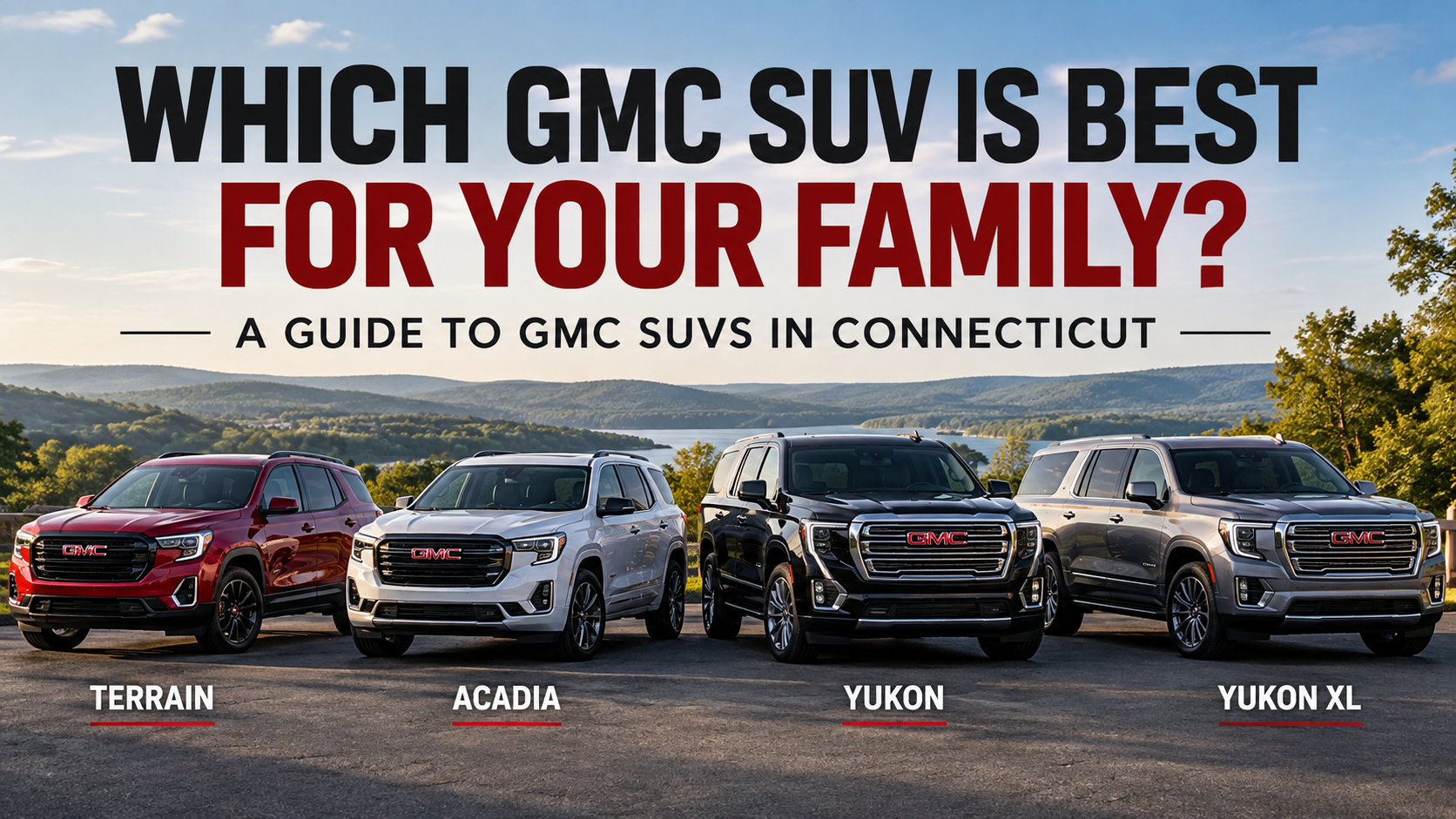
GMC Terrain, Acadia, Yukon and Yukon XL comparison for families in Connecticut.

Which GMC SUV Is Best for Your Family? A Guide to GMC SUVs in Connecticut

Which GMC SUV Is Best for Your Family? A Guide to GMC SUVs in Connecticut Shopping for a GMC SUV in Connecticut but not sure which model is the best fit for your family? From daily commutes and school drop-offs to weekend road trips and family vacations, choosing the right SUV comes down to much more than simply counting seats. GMC offers several SUV options for different lifestyles, including the compact GMC Terrain, three-row GMC Acadia, full-size GMC Yukon, and spacious GMC Yukon XL. At Gates GMC Nissan in North Windham, CT, we help drivers from North Windham, Mansfield, Norwich, Coventry, and surrounding Connecticut communities find vehicles that fit their everyday needs. So, which GMC SUV is best for your family? Let's compare the 2026 GMC Terrain, Acadia, Yukon, and Yukon XL. 2026 GMC Terrain: A Great Everyday Family SUV If you want the versatility of an SUV without driving something oversized, the 2026 GMC Terrain is a great place to start. The Terrain seats up to five passengers and offers up to 63.5 cubic feet of cargo space behind the first row with the rear seats folded, giving families plenty of flexibility for groceries, sports equipment, luggage, and everyday gear. Its smaller footprint can also make the Terrain a convenient option for commuting, running errands, school drop-offs, and navigating parking lots. Technology is another highlight. Depending on configuration, Terrain shoppers can find features such as a 15-inch diagonal Premium GMC Infotainment System, available camera views, an available AutoSense power liftgate, and a wide range of standard safety and driver-assistance technologies. Want to take a closer look? Explore the 2026 GMC Terrain at Gates GMC. Who is the GMC Terrain best for? The Terrain may be a great fit if: You have a smaller family You primarily need two rows of seating You want an SUV that's easy to use for everyday driving Parking and maneuverability matter to you You still want flexible cargo room for everyday life For couples, young families, commuters, or anyone who doesn't need a third row, the Terrain offers a practical combination of technology, comfort, and versatility. 2026 GMC Acadia: Three-Row Versatility for Growing Families Need a third row but aren't sure you want to jump all the way to a full-size SUV? That's where the 2026 GMC Acadia comes in. The Acadia is GMC's three-row mid-size SUV, making it an appealing option for growing families and drivers who regularly carry additional passengers. Its larger interior gives families more flexibility when balancing passengers and cargo, while its mid-size dimensions can make it easier to manage than a full-size SUV. The Acadia also offers modern GMC technology and available features designed to make longer drives more comfortable. Depending on trim and configuration, shoppers can find advanced driver-assistance technology, large infotainment displays, premium interior options, and plenty of family-friendly convenience features. You can browse new GMC inventory at Gates GMC to see current Acadia availability and other GMC SUVs for sale in North Windham. Who is the GMC Acadia best for? Consider the Acadia if: You need three rows of seating Your family is growing You regularly carry kids, friends, or additional passengers You want more room than a compact SUV You don't necessarily need the size of a Yukon You want a balance of everyday usability and family space For many Connecticut families, the Acadia can be the sweet spot between a smaller crossover and a full-size SUV. 2026 GMC Yukon: Full-Size Space and Capability For families who need even more room, capability, and available premium features, there's the 2026 GMC Yukon. The Yukon is a full-size, three-row SUV designed for drivers who want generous passenger space without giving up capability. Its larger size makes it especially useful for family road trips, sports equipment, luggage, and busy households that regularly use all three rows. The Yukon lineup also offers access to some of GMC's most advanced available technology and premium features. Depending on configuration, that can include Super Cruise hands-free driver assistance, premium interior appointments, advanced camera technology, and available capability-focused features. If Super Cruise is one of the features you're considering, read our guide to How GMC Super Cruise Works to learn more about GMC's available hands-free driving technology. Who is the GMC Yukon best for? The Yukon may make sense if: You have a larger family You regularly use all three rows You want full-size SUV capability You take frequent family road trips You have significant passenger or cargo needs You want access to premium GMC technology and features The Yukon is a strong option for drivers who don't want to choose between family practicality, capability, and comfort. Check our new GMC inventory in North Windham to see current Yukon availability. 2026 GMC Yukon XL: Maximum Room for Passengers and Cargo Need even more space? That's where the GMC Yukon XL comes in. The Yukon XL takes the full-size Yukon formula and adds additional room, making it an excellent option for families who regularly need three rows of passengers and space for everyone's belongings. That extra cargo capacity can be especially valuable for road trips, sports families, vacations, camping gear, strollers, or simply those days when it feels like the entire house is coming along for the ride. Who is the GMC Yukon XL best for? Consider the Yukon XL if: You regularly travel with a full vehicle You need three rows without sacrificing as much cargo room You take long family road trips You frequently transport sports equipment, luggage, strollers, or other large items Maximum interior space is one of your top priorities If you've ever filled every seat in an SUV and then wondered where everyone's luggage was supposed to go, the Yukon XL deserves a closer look. You can see available Yukon XL models and other new GMC SUVs for sale at Gates GMC. GMC Terrain vs. Acadia vs. Yukon vs. Yukon XL: Which Is Best for Your Family? There isn't one GMC SUV that's right for every family. The best choice depends on how many people you regularly carry, how much cargo space you need, and how you use your vehicle. Choose the GMC Terrain if: You want a smaller two-row SUV that's practical for commuting, errands, and everyday family life. Choose the GMC Acadia if: You want three-row versatility and additional passenger space without moving all the way up to a full-size SUV. Choose the GMC Yukon if: You want a full-size SUV with three-row seating, strong capability, advanced technology, and available premium features. Choose the GMC Yukon XL if: You want maximum passenger and cargo versatility, especially if you regularly use the third row while carrying plenty of gear. A family commuting around eastern Connecticut may have very different needs from a larger family that regularly travels with luggage, sports equipment, or a trailer. That's why comparing these SUVs side by side can make choosing the right one much easier. Shop GMC SUVs in North Windham, Connecticut Still deciding between the GMC Terrain, Acadia, Yukon, and Yukon XL? Sometimes the easiest way to find the right family SUV is to experience the differences in person. At Gates GMC Nissan in North Windham, you can compare GMC SUVs, explore different trims and features, and find a vehicle that fits your family's lifestyle. Whether you're looking for the everyday versatility of a Terrain, the three-row flexibility of an Acadia, the full-size capability of a Yukon, or the additional room of a Yukon XL, our team is here to help. Browse our new GMC inventory to see what's currently available, or contact Gates GMC to learn more about a vehicle or plan your visit. Gates GMC Nissan 143 Boston Post Road North Windham, CT 06256

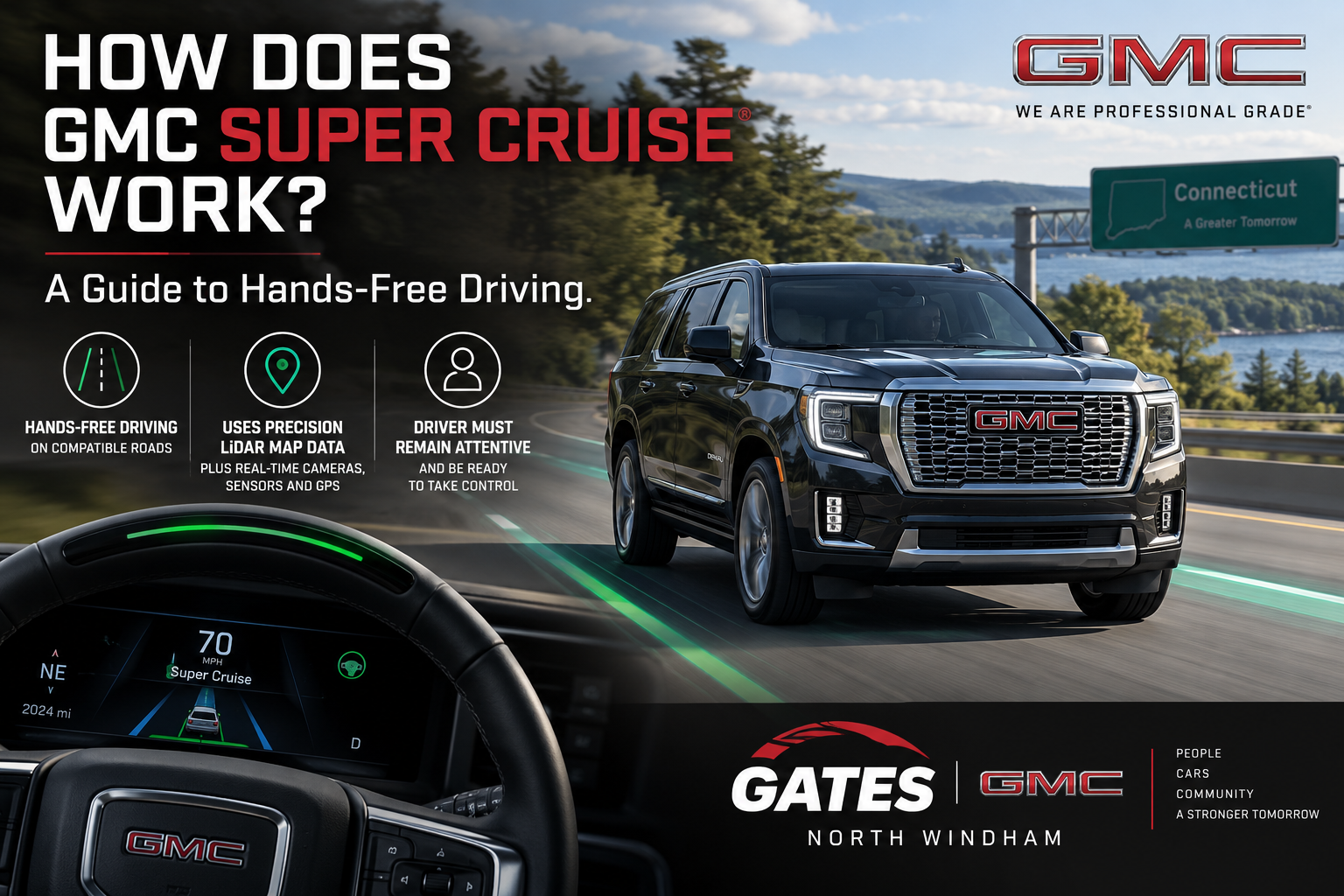
GMC Super Cruise hands-free driving technology guide from Gates GMC Nissan in North Windham, CT

How Does GMC Super Cruise Work? A Guide to Hands-Free Driving

If you’ve been shopping for a new GMC, you may have seen Super Cruise® listed as an available feature on select models. But what exactly is Super Cruise, and how does hands-free driving actually work? Super Cruise is GMC’s advanced driver-assistance technology designed to allow hands-free driving on compatible roads when conditions are appropriate. Using a combination of cameras, radar sensors, GPS, precision map data and Adaptive Cruise Control, Super Cruise can help control your vehicle’s steering, acceleration and braking while you keep your attention on the road. For drivers in Connecticut who spend plenty of time commuting, traveling on the highway or heading out on longer road trips, Super Cruise can completely change the way a properly equipped GMC feels on the road. What Is GMC Super Cruise? Super Cruise is a hands-free driver-assistance system available on select GMC vehicles. When you’re traveling on a compatible road and the necessary conditions are met, the system can help keep your GMC centered in its lane while Adaptive Cruise Control manages your set speed and following distance. The important distinction is that Super Cruise is not self-driving technology. You are still responsible for the vehicle and must remain attentive and ready to take control at any time. What makes Super Cruise unique is the technology working behind the scenes to determine where your vehicle is, what is happening around it and whether conditions are appropriate for hands-free driving. How Does Super Cruise Work? Super Cruise brings several technologies together to help your GMC understand its position on the road. The system uses precision LiDAR map data, real-time cameras, radar sensors, GPS data and Adaptive Cruise Control. Together, these systems help determine the vehicle’s position within the lane, monitor surrounding traffic and maintain an appropriate speed and following distance. When Super Cruise determines that you’re on a compatible road and conditions are right, a Super Cruise symbol will appear in the driver display. Once the system is activated and the light bar at the top of the steering wheel turns green, you can remove your hands from the steering wheel. Even though your hands can be off the wheel, your attention can’t be off the road. How Does Super Cruise Know You're Paying Attention? One of the most important parts of Super Cruise is the Driver Attention System. A small camera located near the steering wheel monitors the position of your head and eyes to help determine whether you are paying attention to the road. If the system detects that your attention has moved away from the road, it can provide alerts telling you to refocus or take control of the vehicle. That means Super Cruise isn't an opportunity to check your phone, answer emails or stop paying attention. Think of it as technology designed to assist an attentive driver—not replace one. Can Super Cruise Change Lanes for You? On appropriately equipped GMC models, Super Cruise can offer lane-change functionality as well. With Turn Signal Activated Lane Change, you can activate your turn signal to request a lane change. Super Cruise will look for an opening in the selected lane and, when conditions allow, steer the vehicle through the lane change. Certain versions of Super Cruise can also perform Automatic Lane Changes. For example, the system may initiate a lane change to pass a slower vehicle, move away from a lane that is ending or provide additional space for merging traffic. Available capabilities vary by vehicle, model year and equipment, so it's important to check the specific GMC you're considering. Where Can You Use GMC Super Cruise? Super Cruise doesn't activate on every road. GM has mapped a large network of compatible roads throughout North America for Super Cruise operation. The vehicle also needs to be able to clearly detect lane markings, have access to GPS and meet other operating conditions before hands-free driving becomes available. Weather, road conditions and dirt or debris covering the vehicle's cameras or sensors can also affect whether Super Cruise is available. If the system determines that hands-free operation is no longer appropriate, it will alert you to take control. What Do the Super Cruise Light Bar Colors Mean? The light bar built into the steering wheel gives you an easy way to understand what Super Cruise is doing. Green: Super Cruise is active and hands-free driving is available. Blue: You are manually steering, and Super Cruise is temporarily allowing you to control the steering. Flashing alerts: The system may be asking you to pay attention or take control. You should always watch the driver information display and follow the vehicle's prompts while using Super Cruise. Does Super Cruise Work in Traffic? Yes, Super Cruise can operate in both highway driving and stop-and-go traffic when you're on a compatible road and the necessary conditions are met. Because Adaptive Cruise Control can manage speed and following distance while Super Cruise assists with steering, the technology can be especially useful during longer highway drives and commutes. Want to Experience Super Cruise for Yourself? Reading about hands-free driving is one thing. Seeing it operate from behind the wheel is another. If you're interested in a GMC equipped with Super Cruise, the team at Gates GMC Nissan in North Windham, Connecticut can help you explore vehicles with the technology, understand the features included on a specific model and learn how to use Super Cruise properly. [SHOP NEW GMC INVENTORY] Is GMC Super Cruise Worth Considering? If you regularly take long highway trips, commute throughout Connecticut or simply enjoy having the latest driver-assistance technology in your vehicle, Super Cruise is a feature worth learning about. It can help reduce some of the workload involved with highway driving while still keeping the driver actively involved and attentive. Features such as hands-free lane centering, Adaptive Cruise Control and available lane-change capabilities can make a properly equipped GMC feel significantly different on a long drive. Just remember: hands-free does not mean attention-free. You remain responsible for safely operating the vehicle and must be ready to take control whenever necessary. Find a GMC With Super Cruise in North Windham, CT Want to see which GMC models currently available at Gates GMC Nissan offer Super Cruise? Browse our new GMC inventory, contact our team or stop by Gates GMC Nissan in North Windham, CT. We can help you compare models, explain available Super Cruise equipment and find a GMC that fits the way you drive. Whether you're looking for a capable truck, a family SUV or some of GMC's newest technology, our team is here to help you find the right vehicle. [VIEW NEW GMC INVENTORY] [CONTACT GATES GMC NISSAN] [LEARN MORE ABOUT GMC SUPER CRUISE] Super Cruise is a driver-assistance technology and is not a substitute for driver attention. Always pay attention while driving and when using Super Cruise, use the system in accordance with applicable laws, and be prepared to take control. Availability, functionality and compatible roads vary by vehicle and equipment. An active Super Cruise plan or trial may be required.

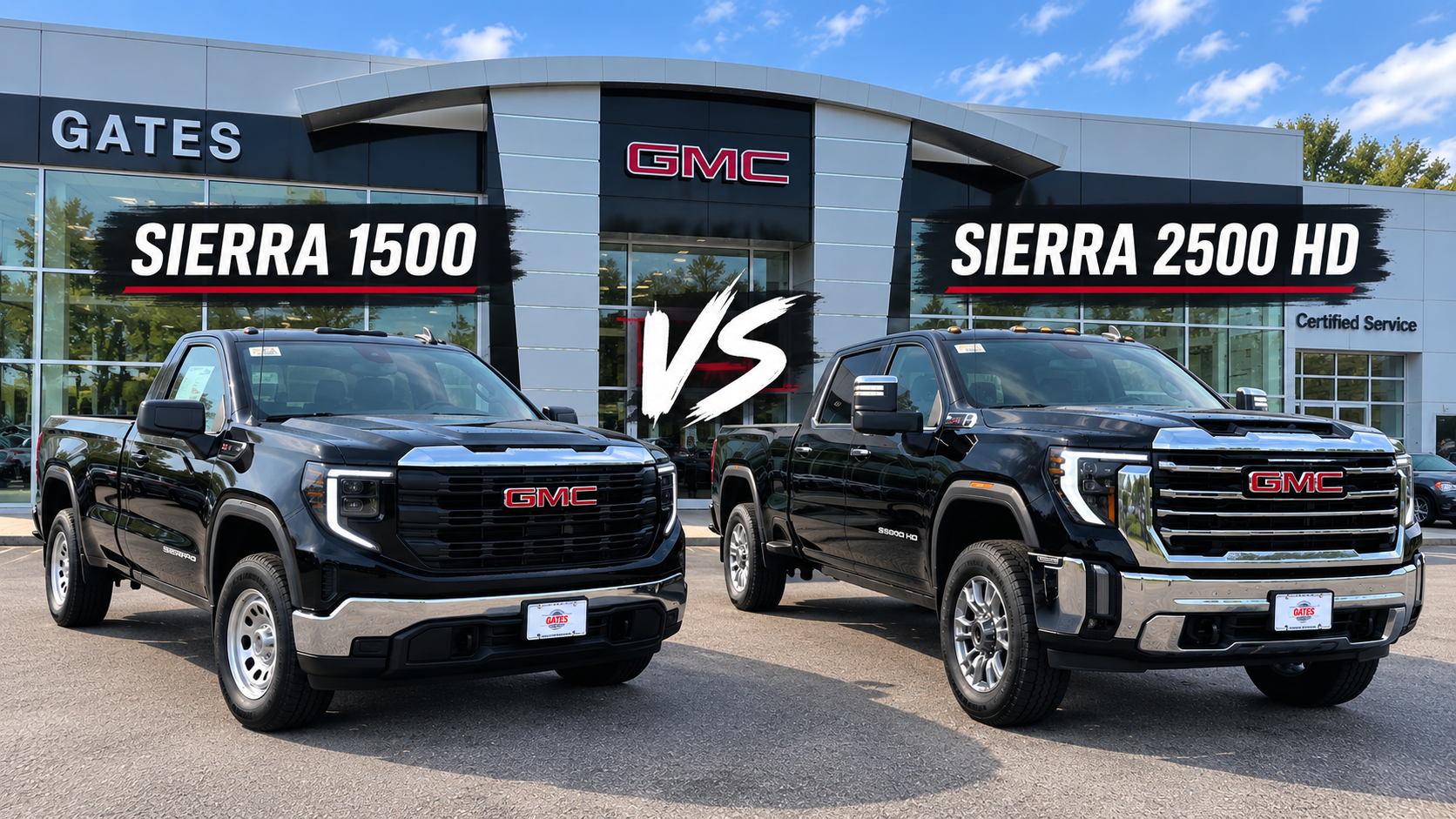
2026 GMC Sierra 1500 and Sierra 2500 HD at Gates GMC in North Windham CT

2026 GMC Sierra 1500 vs. Sierra 2500 HD: Which Truck Is Right for You?

2026 GMC Sierra 1500 vs. Sierra 2500 HD: Which Truck Is Right for You? If you’re shopping for a GMC truck in Connecticut, one of the biggest decisions you may face is choosing between the 2026 GMC Sierra 1500 and the 2026 GMC Sierra 2500 HD. Both offer impressive capability, available advanced technology, and the versatility GMC truck owners expect, but they’re built for different types of drivers and jobs. For many drivers, the Sierra 1500 offers an ideal balance of everyday comfort, towing capability, and versatility. For those who regularly tow heavier trailers, haul substantial loads, or rely on their truck for demanding work, the Sierra 2500 HD brings heavy-duty capability to the table. So, which GMC Sierra is right for you? Let’s break down some of the biggest differences. What’s the Difference Between the GMC Sierra 1500 and Sierra 2500 HD? The biggest difference comes down to capability and how you plan to use your truck. The 2026 GMC Sierra 1500 is a light-duty full-size pickup designed to handle a wide range of needs. It can serve as an everyday vehicle while still providing the capability needed for towing, hauling, home projects, recreation, and work. The 2026 GMC Sierra 2500 HD is a heavy-duty pickup designed for more demanding jobs. If regularly towing heavy equipment, larger trailers, or handling substantial workloads is part of your routine, the additional capability of the 2500 HD may make it the better choice. In simple terms, the Sierra 1500 may be the better fit if you want a versatile truck for both daily driving and work, while the Sierra 2500 HD is worth considering when heavy-duty capability is a priority. Sierra 1500 vs. Sierra 2500 HD at a Glance 2026 Sierra 1500 2026 Sierra 2500 HD Truck Class Light-duty full-size pickup Heavy-duty full-size pickup Best For Daily driving, recreation, work and towing Heavy towing, hauling and demanding work Available Diesel 3.0L Duramax Turbo-Diesel 6.6L Duramax Turbo-Diesel V8 Available Max Towing Up to 13,300 lbs.* Greater heavy-duty towing capability depending on configuration Everyday Use Excellent balance of capability and daily usability Best for drivers who need HD capability regularly Sierra 1500 vs. Sierra 2500 HD Towing Capability For many truck shoppers, towing is the deciding factor between the GMC Sierra 1500 and 2500 HD. When properly equipped, the 2026 GMC Sierra 1500 offers available maximum towing of up to 13,300 pounds. That gives the light-duty Sierra substantial capability for recreational equipment, trailers, boats, campers, and many common work-related towing needs. If your towing needs go beyond what a light-duty pickup is designed to handle, that’s where the Sierra 2500 HD comes in. Its heavy-duty platform is designed for more demanding towing and hauling applications, making it a strong choice for larger campers, equipment trailers, work equipment, and frequent heavy towing. The important question isn’t simply, “Which truck can tow more?” Instead, ask yourself: “What am I actually going to tow, how heavy is it when fully loaded, and how often will I tow it?” If towing is occasional and falls comfortably within the capabilities of a properly equipped Sierra 1500, you may not need to move up to an HD truck. If heavy towing is a regular part of your work or lifestyle, the Sierra 2500 HD deserves a closer look. Actual trailering capacity varies by configuration, including engine, drivetrain, cab, bed, equipment, passengers, cargo and other factors. Always verify the trailering information for the specific vehicle and trailer before towing. Engine Options: Sierra 1500 vs. Sierra 2500 HD Another major difference between these two trucks is what’s available under the hood. The 2026 Sierra 1500 offers multiple engine choices, giving shoppers more flexibility to match the truck to their needs. Available powertrains vary by trim and configuration and include the TurboMax engine, 5.3L EcoTec3 V8, 6.2L EcoTec3 V8, and 3.0L Duramax Turbo-Diesel. That variety is one of the advantages of the Sierra 1500. You can prioritize everyday versatility, traditional V8 power, diesel capability, towing, or a combination of those factors. The Sierra 2500 HD takes a more heavy-duty approach. Its standard 6.6L V8 gas engine produces 401 horsepower and 464 lb.-ft. of torque and is paired with an Allison 10-speed automatic transmission. For drivers who want diesel capability, the available 6.6L Duramax Turbo-Diesel V8 produces 470 horsepower and an impressive 975 lb.-ft. of torque, also paired with an Allison 10-speed automatic transmission. Ready to Compare Your Options? Sometimes the easiest way to decide between a Sierra 1500 and Sierra 2500 HD is to see them for yourself. Explore our current GMC Sierra inventory at Gates GMC in North Windham, CT, compare available configurations, and find the truck that matches what you need it to do. BROWSE GMC SIERRA INVENTORY Which GMC Sierra Is Better for Everyday Driving? If your truck will spend most of its time commuting, running errands, taking weekend trips, and occasionally towing or hauling, the Sierra 1500 is likely to make more sense for many drivers. You still get the capability of a full-size GMC pickup, but in a truck designed to balance work and everyday use. The Sierra 2500 HD becomes more compelling when you’ll actually use its additional heavy-duty capability. If your truck is regularly connected to a substantial trailer, hauling heavy loads, or serving as an important tool for your business, stepping up to an HD truck may be worthwhile. Ultimately, bigger isn’t automatically better. The right Sierra is the one that matches how you’ll actually use your truck. From Our Sales Team We asked our Gates GMC sales team: “What’s the biggest thing you tell someone who is deciding between a Sierra 1500 and Sierra 2500 HD?” The biggest thing I tell someone when deciding between a 1500 and a 2500 is the decision is best made dependent on towing capacity and payload needs. —Martin Q, Sales Consultant at Gates GMC Our sales team works with truck shoppers every day, and the answer often comes back to the same thing: understanding what you plan to tow, haul, and do with your truck can make choosing the right configuration much easier. Which Sierra Is Better for Work and Business Use? For Connecticut business owners, contractors, landscapers, tradespeople, and other professionals, the right Sierra depends heavily on the job. A Sierra 1500 may provide plenty of capability for carrying tools, traveling between job sites, towing lighter equipment, and serving as both a work and personal vehicle. For businesses regularly hauling equipment or pulling heavier trailers, the Sierra 2500 HD may make more sense. There’s also more to choosing a work truck than simply picking between “1500” and “2500.” Engine, cab configuration, bed length, drivetrain, trailering equipment, payload requirements, and how many miles you drive can all affect which truck is right for your business. Our team at Gates GMC can help you compare those options based on what you actually need from your truck. Sierra 1500 or Sierra 2500 HD for Connecticut Drivers? Here in Connecticut, trucks have to handle a little bit of everything. Your Sierra might be your daily commute during the week, a work truck on the job site, and the vehicle pulling your boat or camper on the weekend. New England weather and changing road conditions can also play a role in how you configure your truck. That makes versatility particularly important. The Sierra 1500 may be right for you if you: Want a full-size truck that can also serve as an everyday vehicle Tow recreationally or occasionally Need a pickup for home projects and weekend use Want several available engine choices Split your truck’s duties between work and personal use Don’t regularly need heavy-duty towing capability Consider the Sierra 2500 HD if you: Regularly tow heavier trailers or equipment Depend on your truck for demanding work Need capability beyond what a light-duty pickup provides Want the available 6.6L Duramax Turbo-Diesel V8 Regularly haul substantial loads Use your truck heavily for business or commercial purposes So, Should You Buy a Sierra 1500 or Sierra 2500 HD? For many drivers, the Sierra 1500 provides the sweet spot between capability and everyday usability. It offers plenty of configurations and substantial available towing capability without requiring you to step into a heavy-duty pickup. The Sierra 2500 HD is the better option when your needs genuinely call for more. Frequent heavy towing, substantial hauling, and demanding work are exactly what an HD truck is designed to handle. The best way to make the decision is to know what you’ll ask your truck to do — especially what you plan to tow and haul — and choose a configuration that comfortably meets those needs. Compare the Sierra 1500 and Sierra 2500 HD at Gates GMC Specifications can tell you a lot, but sometimes you need to see the difference between the Sierra 1500 and Sierra 2500 HD in person. At Gates GMC in North Windham, Connecticut, our team can help you compare available Sierra 1500 and Sierra 2500 HD trucks, engine options, configurations, features, and towing capability based on what you actually need. Whether you’re looking for an everyday pickup, a truck for weekend adventures, a work vehicle, or a heavy-duty towing setup, we’re here to help you find the right Sierra. Ready to Find Your GMC Sierra? [SHOP GMC SIERRA 1500 →] Browse our current new GMC Sierra 1500 inventory. [SHOP GMC SIERRA 2500 HD →] Explore our available new GMC Sierra 2500 HD trucks. [CONTACT GATES GMC / SCHEDULE A TEST DRIVE →] Have questions? Talk with our team or schedule a time to experience a Sierra for yourself. Frequently Asked Questions About the Sierra 1500 vs. 2500 HD What is the main difference between a GMC Sierra 1500 and Sierra 2500 HD? The Sierra 1500 is a light-duty full-size pickup designed to balance everyday driving, towing, hauling, recreation, and work. The Sierra 2500 HD is a heavy-duty truck designed for more demanding towing and hauling requirements. How much can a 2026 GMC Sierra 1500 tow? The 2026 GMC Sierra 1500 offers available maximum towing of up to 13,300 pounds when properly equipped. Actual towing capacity depends on the specific configuration and equipment. What engines are available in the 2026 GMC Sierra 2500 HD? The Sierra 2500 HD offers a standard 6.6L V8 gas engine and an available 6.6L Duramax Turbo-Diesel V8. Both are paired with an Allison 10-speed automatic transmission. Is the GMC Sierra 1500 or 2500 HD better for daily driving? For drivers who primarily use their truck for commuting and everyday transportation with occasional towing or hauling, the Sierra 1500 will generally be the more logical choice. Drivers who regularly require heavy-duty towing or hauling capability should consider the Sierra 2500 HD. Do I need a Sierra 2500 HD for towing? Not necessarily. A properly equipped Sierra 1500 can handle many recreational and work-related towing needs. Whether you need a 2500 HD depends on your trailer’s loaded weight, your truck’s specific configuration, how frequently you tow, and your other payload and capability requirements. Find the Right GMC Sierra at Gates GMC Whether the Sierra 1500 or Sierra 2500 HD is right for you ultimately comes down to how you plan to use your truck. From everyday driving and weekend towing to demanding work and heavy-duty hauling, there’s a Sierra built for the job. Visit Gates GMC in North Windham, CT to compare the Sierra 1500 and Sierra 2500 HD in person. Our team can help you explore available configurations, answer your questions, and find a truck that fits your needs. [BROWSE GMC SIERRA INVENTORY →]